Probably the quickest way to paste in XP command window is to hold down the ALT key, and hit the spacebar followed by E and P. So, for paste, it's ALT+Space, E, P (E for edit menu, P for paste command). If you do it enough number of times it'll become your second nature.
In a command prompt, the mouse right click isn't always the quickest, not for me at least.
Thursday, December 18, 2008


Friday, February 22, 2008
Alternate urls from Google for Google search
1. www.americanlandmarkfence.com
2. www.unitedamericanfund.com
3. www.earningspace.com
4. www.jeanoffer.com
5. www.factualearn.com
6. www.abnamrobankgroup.net
7. www.glisteningwhitesmile.com
8. www.iloveyourobin.com
9. www.nuzrinmira.com
10.msm.byu.edu
These are some of the alternate urls for Google search which are provided by Google itself. If you are worried that somebody might be keeping a track of your search habits then you might want to search on Google through these alternate urls.
And if you are really enthusiastic about the idea, you can set one of them as the default search provider in the browser.
2. www.unitedamericanfund.com
3. www.earningspace.com
4. www.jeanoffer.com
5. www.factualearn.com
6. www.abnamrobankgroup.net
7. www.glisteningwhitesmile.com
8. www.iloveyourobin.com
9. www.nuzrinmira.com
10.msm.byu.edu
These are some of the alternate urls for Google search which are provided by Google itself. If you are worried that somebody might be keeping a track of your search habits then you might want to search on Google through these alternate urls.
And if you are really enthusiastic about the idea, you can set one of them as the default search provider in the browser.
Thursday, February 21, 2008
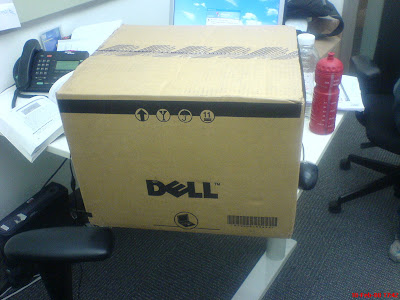
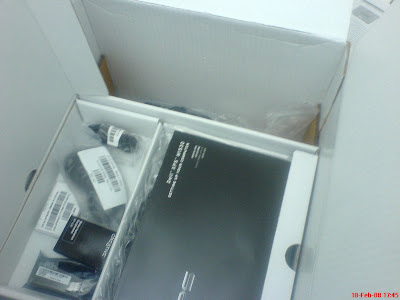
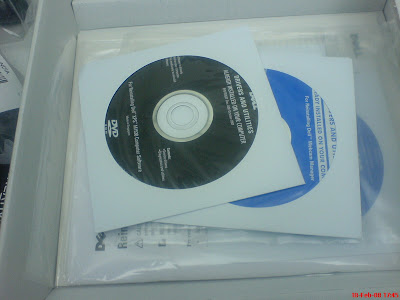
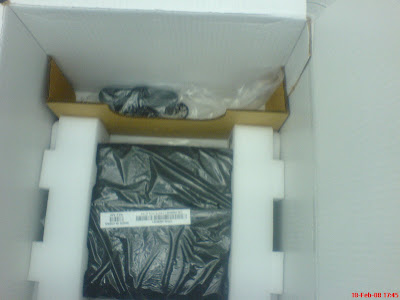
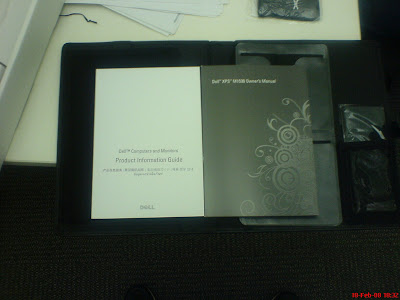
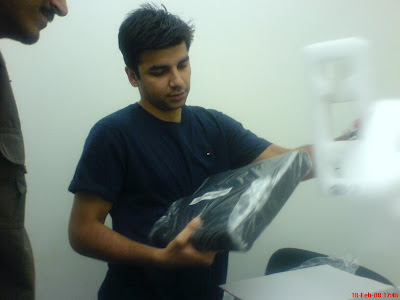
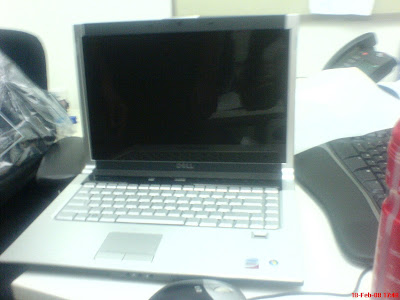
Dell XPS M1530
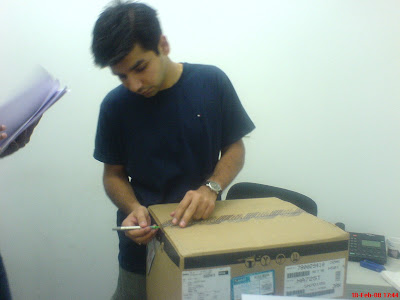
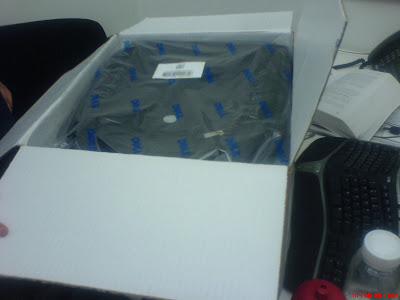
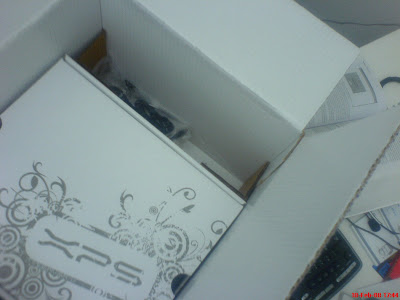
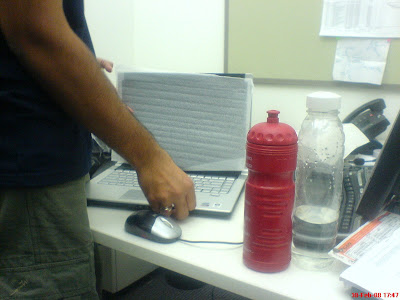
When I received my brand new Dell XPS M1530, it evoked certain feelings which people generally reserve for their new born kids. To say I was ecstatic would be an understatement. It fired on all cylinders. It has a ridiculously good design from Dell and a non-integrated graphics card despite being sub six pounds ultra light. It has a TFT display with True Life® and a biometric finger print security system. And to top it all I got it in straight one week. All of this kind of pushed me over the edge. Here's a glimpse of first hand experience I had:

Thursday, February 15, 2007
How to become a good developer
I spoke to Robert few days back. He is PUM in Microsoft. It was a one on one meeting. Below are some learnings I had picked from that meeting.
1. Strive for simplistic design. Don't over engineer things.
2. Go through your Career Specific profiles. Go through each bullet. Do an honest self assessment and see where you are lacking.
3. Develop your communication skills. As a developer you have a huge role to play in Microsoft.
4. Discover the design patterns. It takes time to develop these skills but it has got a huge impact.
5. It is critical to test your code. Have a lot of automation. Do a lot of unit testing.
6. Ability to narrow down the bug quickly.
7. There seems to be a tendency in people to hop from job to job in order to grow. Instead invest in yourself and build a solid foundation, because if you switch to another company the same problems would breed again.
8. If you ever encounter a bug , take some action so that it doesn't reproduce. Add some test automation, educate someone or whatever it takes but do something about it.
9. If you want to become a manager, learn to instill inspiration amongst others.
1. Strive for simplistic design. Don't over engineer things.
2. Go through your Career Specific profiles. Go through each bullet. Do an honest self assessment and see where you are lacking.
3. Develop your communication skills. As a developer you have a huge role to play in Microsoft.
4. Discover the design patterns. It takes time to develop these skills but it has got a huge impact.
5. It is critical to test your code. Have a lot of automation. Do a lot of unit testing.
6. Ability to narrow down the bug quickly.
7. There seems to be a tendency in people to hop from job to job in order to grow. Instead invest in yourself and build a solid foundation, because if you switch to another company the same problems would breed again.
8. If you ever encounter a bug , take some action so that it doesn't reproduce. Add some test automation, educate someone or whatever it takes but do something about it.
9. If you want to become a manager, learn to instill inspiration amongst others.
Tuesday, February 06, 2007
Visual Studio's (or .NET's) equivalent of GDB's watch
People coming in from native background (I mean those who have been using GDB extensively) might get perplexed by the fact that they can't watch a variable in .NET. Reason being, when you ask the debugger to watch a particular variable or object (to let you know when a particular value is accessed or modified) you are basically asking the debugger to watch a physical address. And the fact that garbage collector can reshuffle the objects in memory obviates this possibility.
So what do you do? You refactor the code, define brand new get/set properties for that variable and start accessing it through them. Now you can put in break-points in the get and set properties.
So what do you do? You refactor the code, define brand new get/set properties for that variable and start accessing it through them. Now you can put in break-points in the get and set properties.
Saturday, December 23, 2006
Foosball Tricks
These guys play godlike. The less I say the better it would be. Have a look at some foosball tricks.
Tuesday, December 19, 2006
Wednesday, December 13, 2006
Inline search in IE
One thing I hate about IE is its "Find in page" utility. Half of the time, I am either moving the search box or locating the highlighted result. And to top it up, the search is not incremental either. This in itself can be a reason for me to not to use IE.
Solution:
Inline search with IE : Quick download, easy to use, mimics Gvim's and Firefox's search to some extent and highly effective. In short DAMN COOL.
Solution:
Inline search with IE : Quick download, easy to use, mimics Gvim's and Firefox's search to some extent and highly effective. In short DAMN COOL.
Gvim and Visual Studio Shortcuts
While I mostly use Gvim, I'm sometimes forced to use Visual Studio in two situations:
1. When I have to debug something; Visual Studio has an excellent debugger.
2. When one of my team members require my help.
The second reason is more important because I don't want to look clumsy while helping them out.
I have found the Visual Studio equivalents for some of my core gvim commands and they are:
Gvim Visual-Studio Purpose
* Ctrl + F3 Search for current word under cursor
# Ctrl + Shift + F3 Search for previous word under cursor
Ctrl + o Ctrl + '-' Go to previous location
Ctrl + i Ctrl + Shift + - Go to next location
/ Ctrl + i Incremental search
gg Ctrl + Home Go to the beginning of the file
G Ctrl + End Go to the end of the file
n F3 Find again
Ctrl + P Ctrl + Space Autocomplete
qx Ctrl + Shift + R Record a temporary macro
@x Ctrl + Shift + P Play a temporary macro
% Ctrl + ] Go to matching braces
mx Ctrl K + Ctrl K Make a bookmark
'x Ctrl K + Ctrl N Move to (next) bookmark
~ Ctrl K + Ctrl U Change the text to UPPERCASE
zf% Ctrl M + Ctrl M Fold a section
1. When I have to debug something; Visual Studio has an excellent debugger.
2. When one of my team members require my help.
The second reason is more important because I don't want to look clumsy while helping them out.
I have found the Visual Studio equivalents for some of my core gvim commands and they are:
Gvim Visual-Studio Purpose
* Ctrl + F3 Search for current word under cursor
# Ctrl + Shift + F3 Search for previous word under cursor
Ctrl + o Ctrl + '-' Go to previous location
Ctrl + i Ctrl + Shift + - Go to next location
/ Ctrl + i Incremental search
gg Ctrl + Home Go to the beginning of the file
G Ctrl + End Go to the end of the file
n F3 Find again
Ctrl + P Ctrl + Space Autocomplete
qx Ctrl + Shift + R Record a temporary macro
@x Ctrl + Shift + P Play a temporary macro
% Ctrl + ] Go to matching braces
mx Ctrl K + Ctrl K Make a bookmark
'x Ctrl K + Ctrl N Move to (next) bookmark
~ Ctrl K + Ctrl U Change the text to UPPERCASE
zf% Ctrl M + Ctrl M Fold a section
Friday, December 08, 2006
MSDN goes Wiki
No matter how many people Microsoft puts in, there can't be enough to keep MSDN in shape. That is the rate at which technology is evolving. Personally, I think it is a right move by Microsoft to make MSDN Wiki based and I am very excited about it. This project has a huge potential.
You can visit it by clicking over here
You can visit it by clicking over here
Monday, December 04, 2006
Sidebar Gadget
Recently, I had to create a Windows Vista Sidebar Gadget which pulls out data from a database locally installed on the machine and displays it to the user in a eye-catching manner.
Being new to the .Net and given that my past projects had more or less revolved around UNIX and C, I had to do a lot of research. Although there was a lot of information available on the internet on how to develop a Vista Sidebar there was practically none on how to access data from a managed piece of code from within Jscript. I discovered two ways to do it and in the following section I'll describe precisely that.
For the uninitiated, a Vista Sidebar is nothing but a bunch of HTML and Jscript files packed together. That is it. For more information on how to develop a Sidebar Gadget, please refer to this page.
First way:
AxComp.cs
using System;
using System.Runtime.InteropServices;
namespace Foo.Something
{
public interface Ix
{
string CallMe();
}
public class Bar: Ix
{
public string CallMe()
{
return "Friendly string.";
}
}
}
Run.bat
@echo.
@echo To be run from an administrator command prompt
@echo.
csc /nologo /t:library AxComp.cs
regasm AxComp.dll /nologo /codebase
TestActiveXControl.html
Regasm is the Assembly Registration tool that reads the metadata within an assembly and adds the necessary entries to the registry, which allows COM clients to create .NET Framework classes transparently. Once a class is registered, any COM client can use it as though the class were a COM class. The class is registered only once, when the assembly is installed. Instances of classes within the assembly cannot be created from COM until they are actually registered.
To test it out, define a webpage as shown below:
TestActiveXControl.html
<html>
<title>
Test ActiveX Control
</title>
<script language="JAvaScript">
var obNewActiveXComponent = new ActiveXObject("Foo.Something.Bar");
alert(obNewActiveXComponent.CallMe());
</script>
<body>
<hr>
<h3>Communicating with managed APIs from Javascript</h3>
<hr>
</body>
</html>
If you want to explore all the technologies which enable managed/unmanaged interaction, this page would be helpful.
Watch out this space for more information...
Being new to the .Net and given that my past projects had more or less revolved around UNIX and C, I had to do a lot of research. Although there was a lot of information available on the internet on how to develop a Vista Sidebar there was practically none on how to access data from a managed piece of code from within Jscript. I discovered two ways to do it and in the following section I'll describe precisely that.
For the uninitiated, a Vista Sidebar is nothing but a bunch of HTML and Jscript files packed together. That is it. For more information on how to develop a Sidebar Gadget, please refer to this page.
First way:
AxComp.cs
using System;
using System.Runtime.InteropServices;
namespace Foo.Something
{
public interface Ix
{
string CallMe();
}
public class Bar: Ix
{
public string CallMe()
{
return "Friendly string.";
}
}
}
Run.bat
@echo.
@echo To be run from an administrator command prompt
@echo.
csc /nologo /t:library AxComp.cs
regasm AxComp.dll /nologo /codebase
TestActiveXControl.html
Regasm is the Assembly Registration tool that reads the metadata within an assembly and adds the necessary entries to the registry, which allows COM clients to create .NET Framework classes transparently. Once a class is registered, any COM client can use it as though the class were a COM class. The class is registered only once, when the assembly is installed. Instances of classes within the assembly cannot be created from COM until they are actually registered.
To test it out, define a webpage as shown below:
TestActiveXControl.html
<html>
<title>
Test ActiveX Control
</title>
<script language="JAvaScript">
var obNewActiveXComponent = new ActiveXObject("Foo.Something.Bar");
alert(obNewActiveXComponent.CallMe());
</script>
<body>
<hr>
<h3>Communicating with managed APIs from Javascript</h3>
<hr>
</body>
</html>
If you want to explore all the technologies which enable managed/unmanaged interaction, this page would be helpful.
Watch out this space for more information...
Friday, November 03, 2006
Microsoft unleashes free software
Now howsoever strange it may sound but it's true. Microsoft has released a financial management software that is absolutely free and has been designed for early startups and home-based businesses. You can download it from here
Monday, October 02, 2006
What is this title?
Disclaimer:
Future viewers, the title has nothing to do with my character or personality (arguably). I couldn't come up with any interesting one so using this weird title. Lame excuse though.
Future viewers, the title has nothing to do with my character or personality (arguably). I couldn't come up with any interesting one so using this weird title. Lame excuse though.
Subscribe to:
Comments (Atom)